


CBS Sports: Watch Live
2.414.00 Reviews
App Specs
- Version
- 8.5.0-1778611341
- Updated On
- License
- Free
- Downloads
- 100,000+
- Developer
- CBS Interactive, Inc.
- Categories
- Sports
- Platform
- Android, iOS
Screenshots




 Analysis by AppCompare
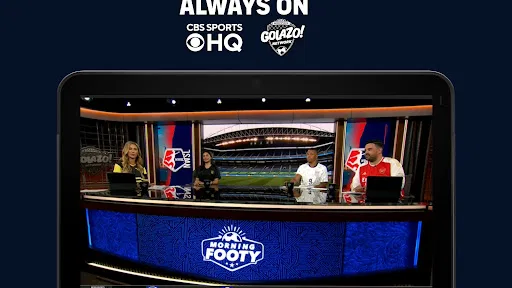
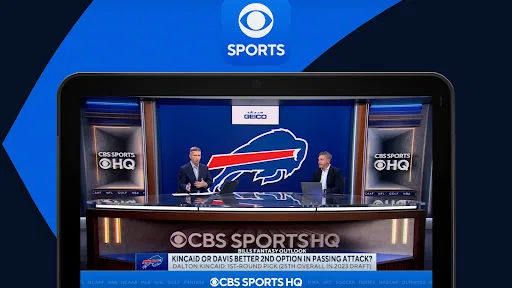
I approached CBS Sports: Watch Live as a practical sports-viewing app rather than as a complete replacement for every service on my phone. Its central appeal is straightforward: it brings a continuous stream of sports programming from CBS, CBS Sports Network, Paramount+ and other connected sources into one mobile destination. That focus makes it useful when I want sports coverage without moving between several unrelated apps, although the experience depends heavily on what is available at the moment I open it.
The app is free, belongs to the sports category, and is developed by CBS Interactive, Inc. It is rated for Everyone, which makes it approachable for a broad household audience. I also found its basic setup relatively easy to understand: open the app, look through the available programming, and decide whether the current broadcast is worth watching. The important distinction is that this is primarily a viewing hub, not a deep statistical companion or a personalized coaching tool.
How the live sports focus changes everyday viewing
The most important capability here is the access to ongoing sports content. A live-oriented app serves a different purpose from a scores app. Instead of checking a result in a few seconds, I can stay with a broadcast while doing something else nearby, follow a game from the beginning of a break, or use the phone as a second screen when the television is occupied.
That sounds simple, but it changes the decision I make when opening the app. With a conventional sports news app, I expect headlines, schedules, standings and short updates. With this one, I expect to browse for something I can watch now. The value is therefore strongest when my priority is video coverage rather than quick information.
The app’s connection to CBS, CBS Sports Network, Paramount+ and additional sports content gives it a broader viewing identity than a single-team application. I do not have to treat it as a narrow destination for one league or one club. That variety can make an idle moment more useful: rather than opening a social feed and hoping to find something interesting, I can check the sports programming available through the app.
There is also a practical benefit for people who already follow CBS-related coverage. Keeping this material in one place reduces the mental friction of remembering which application might carry a particular program. I would still think of it as part of a wider viewing setup, but it can act as the first place I check when I want sports video connected to the CBS ecosystem.
What I would do before relying on it
My first recommendation is to open the app before an important event, not at the exact start time. That gives me a chance to see the current programming, understand how the viewing screen is organized, and avoid discovering too late that the content I expected is not presented in the way I imagined. This is a small habit, but it matters more with live viewing than with on-demand clips.
Worth Reading Before You Choose

Flipboard Shows What News Apps Must Do Beyond the Feed

Switching to Android Auto Means Rethinking Your Driving Routine

Google Calendar Makes a Crowded Week Easier to Manage

Ludo King Makes the Most of the Minutes Between Plans

Baby Panda World Brings Quick Play to Modern Phones, but Its Game Library Feels Busy

ESPN’s Live Game View Makes Following Close Games Easier
I would also decide whether I need a full match, a studio show, or simply background sports coverage. The app’s live emphasis is most convincing when I am happy to watch whatever relevant programming is currently available. If I have a single, non-negotiable event in mind, I would verify its availability in advance rather than assume that the presence of CBS branding guarantees access to every broadcast I want.
That distinction is one of the most useful things to understand about the product. A service can offer sports programming and still not be the ideal tool for a specific event. In my view, CBS Sports: Watch Live works best as a convenient sports window, while a dedicated broadcaster or league service may be the better choice when precise event access is the only goal.
Using it in a realistic daily routine
Imagine arriving home while a game or sports program is already underway. I would open the app, scan what is currently being shown, and start watching while preparing dinner. If the program is more interesting than expected, the phone becomes the main screen; if not, it remains useful as background viewing. That flexible scenario suits the app better than a carefully planned, cinema-like session where I demand complete control over every part of the experience.
Another realistic use is the second-screen situation. Someone else may be using the television, but I still want to follow sports coverage with headphones. A phone-based stream can solve that immediate problem without changing the household viewing schedule. The trade-off is obvious: a small display is convenient, but it is not as comfortable as a television for a long event.
I would be careful with battery and data during extended sessions. Live video is naturally more demanding than reading a score or checking a headline, so I prefer a stable connection and a charged phone. This is not a special flaw in the app; it is a consequence of choosing continuous video. Still, it affects whether I would use it for an entire afternoon or only for selected portions of coverage.
The most effective workflow for me is to use the app for discovery and immediate viewing, then switch to another sports tool when I need dense information. For example, I might watch a broadcast here and use a separate scores service for rapid league-wide checks. That combination is more sensible than expecting one mobile product to be equally strong at live video, statistics, alerts and historical analysis.
Where the experience feels most useful
The app’s strength is reducing the distance between “I want to watch sports” and “something is playing.” That is different from searching through a large on-demand catalog. I do not need to begin with a specific title if I am open to current coverage. This makes it a good companion for casual viewing, especially when I have a short break and want something more engaging than a text update.
It can also help households with different sports interests. One person may want the television, while another uses the phone to follow related coverage. The app’s broad CBS sports identity gives it more potential in that situation than a single-team app would have. I would not call it a universal solution, but it is a reasonable shared-device option for viewers who already recognize the networks and programming behind it.
For fans who follow one club obsessively, the calculation is different. A team-specific application may offer more focused news, schedules and alerts. Someone who cares about fantasy sports may also prefer a product built around player statistics rather than live programming. I would choose this app when watching is central, not when detailed personal tracking is the main task.
The trade-off between convenience and certainty
The convenience of a live sports hub comes with a limitation: the usefulness of the app changes according to the programming available when I use it. A news reader can provide something relevant almost anytime because articles remain accessible. Live viewing is more dependent on timing. If nothing matches my interests, the app may feel less valuable than it did during a major broadcast window.
That is why I would avoid judging it only by the number of channels or brands associated with it. The real question is whether the available stream meets my immediate need. If I want a relaxed browse, the variety helps. If I want a particular event at a particular moment, I need a more deliberate check before depending on it.
I also would not install it expecting a complete replacement for a paid television package or every subscription-based sports platform. The app is free, which lowers the barrier to trying it, but free access should not be confused with guaranteed access to every piece of sports content a viewer might want. Its role is more focused: provide a convenient route into CBS-connected sports viewing and make casual live discovery easier.
The public response is another reason I would keep expectations measured. The app has an average rating of 2.4 from around 84 ratings, with roughly 14 written reviews. Those figures do not tell me exactly why each person felt dissatisfied, but they do suggest that the experience has not been uniformly smooth for everyone. I would treat that as a prompt to test the app personally before making it central to my viewing routine.
Compatibility and setup considerations
The current version is 8.5.0-1778611341, and the app supports Android starting with version 5.1. That gives it a relatively accessible technical baseline for compatible Android phones. I still recommend keeping the app updated through the normal store process, especially for a live-video product where playback behavior and content presentation can matter as much as the basic interface.
Because the app is rated Everyone, it is suitable for general household use from an age-rating perspective. I would still supervise younger viewers according to the sports content being watched, since an age label does not determine whether every broadcast will suit every family’s preferences. For adults, the more important setup question is whether the phone, connection and viewing environment are comfortable for live video.
I appreciate that the app is free to install and try. That makes the decision less risky than committing immediately to a paid service. My practical approach would be to test it during an ordinary sports window, not only during a high-pressure event. If the navigation and available programming fit my habits, it earns a place on the phone; if not, I have lost little beyond setup time.
Who gets the most value from this app?
I would recommend CBS Sports: Watch Live to someone who wants a simple sports-viewing destination tied to CBS programming and who is comfortable exploring what is available live. It is particularly appealing for casual fans, second-screen viewers, and people who already watch CBS Sports or related Paramount+ content. The free price also makes it an easy addition for anyone who wants to experiment before choosing a more extensive sports subscription.
It is less suitable for a viewer who needs guaranteed access to one exact event, a complete archive, or highly detailed live statistics. In those cases, I would look at the official service associated with the league, event or broadcaster, or pair this app with a dedicated scores product. I would also skip it as my primary sports tool if I rarely watch video and mostly want alerts, standings or quick results.
One useful compromise is to keep it installed for live discovery while using another app for precision. I can open this one when I want to watch, then move elsewhere for schedules or numbers. That avoids forcing it into a role it was not designed to fill and makes its main capability feel more valuable.
My final impression is balanced. CBS Sports: Watch Live is not a universal answer to every sports-media need, but its live-content focus is clear and useful when the timing is right. I like it most as a free, accessible way to check CBS-connected sports programming and turn a spare moment into something watchable. I would recommend trying it, while keeping a backup option for must-see events and remembering that a live sports hub is only as good as the coverage available when I open it.
Pros
- Live coverage of major U.S. sports leagues and events
- Personalized alerts help track favorite teams and games
- Includes scores
- schedules
- standings
- and breaking news
- Video highlights and replays are easy to find
- Supports casting to compatible TVs and streaming devices
Cons
- Many live streams require a participating TV provider login
- Some content and features vary by location
- Frequent notifications may feel excessive without customization
- Video quality depends heavily on network speed
- Ad interruptions can appear during free video content
FAQs for CBS Sports: Watch Live
What is CBS Sports: Watch Live used for?
CBS Sports: Watch Live is designed for following live sports coverage, scores, schedules, news, highlights, standings, and analysis in one mobile app. Depending on your location and the current programming rights, you may be able to watch selected live games, events, studio shows, and streams, while other content may be available only as clips or updates.
Can I watch live games for free on CBS Sports: Watch Live?
Some content may be available without a paid subscription, including news, highlights, scores, and selected live programming. However, access to many major games or premium events can depend on your television provider, streaming subscription, location, and the specific competition. The app may ask you to sign in or verify a supported provider before playback begins.
Which sports and events are available in the app?
The available sports and competitions can change throughout the year and may include football, basketball, golf, soccer, baseball, hockey, tennis, and other CBS Sports programming. Coverage is not identical in every country or on every device because broadcasting agreements vary. Checking the in-app schedule is the best way to confirm a particular event.
Does CBS Sports: Watch Live require an account or subscription?
You can generally browse scores, articles, schedules, and many video clips without creating an account. Live streaming access may require signing in with a CBS account, a participating TV provider, or an eligible streaming service. Some features can also depend on your subscription package, so downloading the app alone does not guarantee access to every broadcast.
Can I use CBS Sports: Watch Live on a TV or while traveling?
The app may support casting or connected-TV viewing on compatible devices, although available options can vary by platform, operating system, and broadcast rights. Live content is also commonly restricted by geographic location, meaning a stream available at home may not work abroad. A reliable internet connection is recommended, especially for high-quality live video.


